5 Best AI Code Security Tools for Enterprise Teams to Secure Code and Detect Critical Vulnerabilities
On this page
In July 2025, an AI coding agent without the right safeguards deleted a live production database during a Replit project. In an X post about the incident, Replit CEO Amjad Masad confirmed the company spent the following weekend adding a clear separation between development and production.
We saw Jason’s post. @Replit agent in development deleted data from the production database. Unacceptable and should never be possible.
— Amjad Masad (@amasad) July 20, 2025
- Working around the weekend, we started rolling out automatic DB dev/prod separation to prevent this categorically. Staging environments in… pic.twitter.com/oMvupLDake
It is a good reminder of what can go wrong when AI moves faster than the security measures around it. Veracode's 2025 GenAI Code Security Report tested more than 100 AI models on 80 real coding tasks and found that 45% of the code they generated introduced a known security vulnerability, a failure rate that held steady across every major model and language they tested.
If your enterprise operates in a regulated space, issues like these can quickly lead to compliance problems, security incidents, and questions from auditors about how unreviewed code reached production.
That’s where AI code security tools can help enterprises using enterprise AI platforms keep security risks under control.
What should you consider when choosing an AI code security tool for your enterprise?
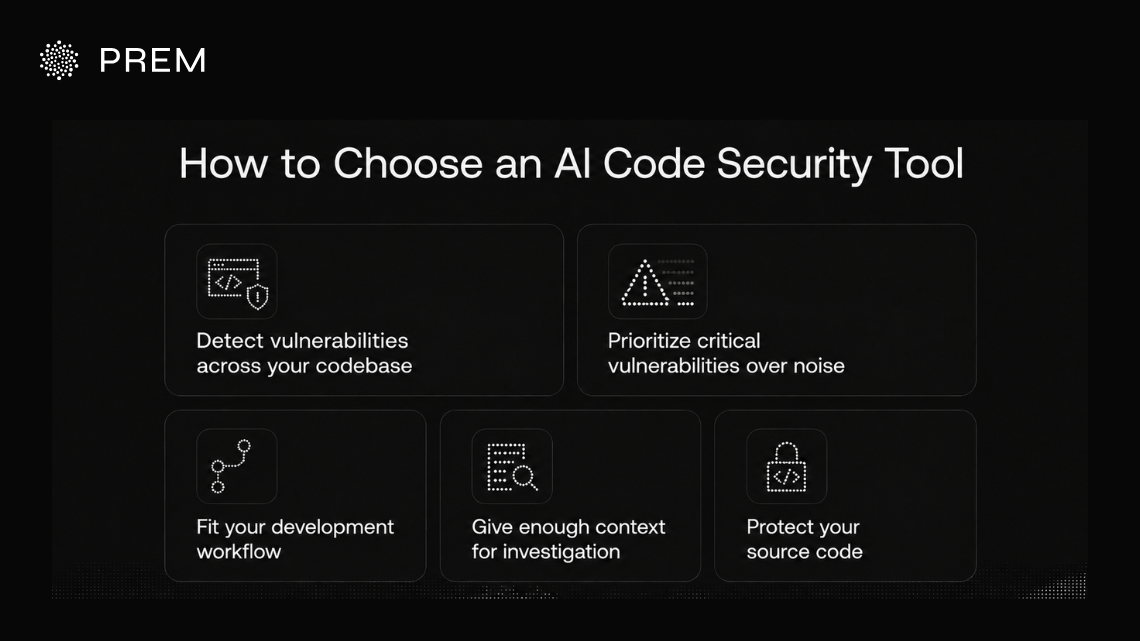
Below are some of the key factors you can consider when choosing the right code security tool for your enterprise:
Can it detect vulnerabilities across your codebase?
Check whether the tool can analyze vulnerabilities across your files, functions, dependencies, and application logic, rather than only flagging isolated code patterns, the way an AI security agent for vulnerability detection reviews code in the context of the whole system. Also check what evidence you get with each finding so you can verify the issue yourself.
Can it separate critical vulnerabilities from security noise?
A long list of findings does not tell you what to fix first. Severity, reachability, exploitability, and application context can help you prioritize the issues that matter most.
The CISA Known Exploited Vulnerabilities catalog adds another useful signal by tracking CVEs exploited in the real world. Using signals like these can help you narrow your backlog, but you should also understand how your security vendor prioritizes findings.
Does it work with your development workflow?
Your security tool should fit naturally into the way your developers already work, whether through repositories, pull requests, CI/CD, IDEs, or AI coding tools. Look at how easily you can trigger scans and review findings as your code changes, since an AI code security audit is most useful when it runs at every stage from commit to release.
Does your team get enough context to investigate a finding?
Your developers need enough information to understand why a vulnerability was flagged. Look for findings that identify the affected code, severity, relevant files or code paths, supporting evidence, and remediation information where the product provides it. This becomes especially important when your security team is reviewing findings across a large codebase.
How does it protect your source code?
AI code security tools may need access to your private source code, so understand how your vendor handles it. Apply the same scrutiny you would to any enterprise AI tools that touch sensitive data: know where your code is processed and stored, who can access it, and whether private or on-premises deployment is available.
The NIST AI Risk Management Framework also recommends documenting what an AI model can access, store, and act on before you deploy it. Ask the vendor to clearly explain how they handle your code and data before giving them repository access. You should also think about this across the rest of your AI stack, especially when AI-generated code moves through different parts of your development pipeline.
Best AI code security tools for enterprise teams to secure code and detect critical vulnerabilities
| AI code security tool | Key features | Deployment / data approach |
|---|---|---|
| Prem Cyberscan | Repository-level AI analysis, attack-path review, severity ratings, file-level evidence, GitHub code-scanning output | Scans run through Prem’s EU North infrastructure |
| Aikido Security | SAST, SCA, secrets detection, IaC scanning, reachability analysis, AI AutoTriage and AutoFix | Cloud-based platform with IDE, pull-request and CI/CD integrations |
| Codelight | Threat-model-driven AI analysis, PR scanning, fix suggestions and merge controls | EU-hosted processing with an on-premises appliance option |
| Striga | AI source-code auditing, attack-surface analysis, exploitability assessment, vulnerability chaining and proof-of-concept validation | Managed cloud, zero-data-retention option and on-premises deployment |
| CybeDefend | SAST, SCA, secrets and IaC scanning, reachability analysis, coding-agent integrations and AI-assisted remediation | EU hosted region, with private VPC and on-premises options for enterprise customers |
Prem Cyberscan: Continuous AI code security for enterprise repositories
Prem Cyberscan is an AI security agent for vulnerability detection that gives your team an ongoing code-review layer between formal security audits. You connect a repository like GitHub, and the system analyzes the code as it evolves rather than limiting security review to a single point in time.
It maps your codebase, examines potential attack paths, and produces structured findings with severity levels and references to the relevant files. Runs are also resumable, so an interrupted review can continue rather than restarting from the beginning.
How Prem CyberScan finds vulnerabilities in your codebase
The review starts when you connect a GitHub repository and select the code you want analyzed. It reviews your repository in context to identify potential vulnerabilities and attack paths. You can run a new review against any commit as your code changes. Each finding includes severity and file-level references, so you can quickly locate and investigate the issue.
Interrupted reviews can resume from the last saved point. You can also send findings to GitHub code-scanning alerts and issues or access them through the API and MCP.
What Prem Cyberscan checks for
Prem Cyberscan helps you detect five specific classes of real-world vulnerabilities in your code: access control, value and funds handling, protocol logic, cryptography, and injection or input handling. If your codebase touches money, permissions, or anything cryptographic, this is the exact surface area you'd want a second reviewer watching.
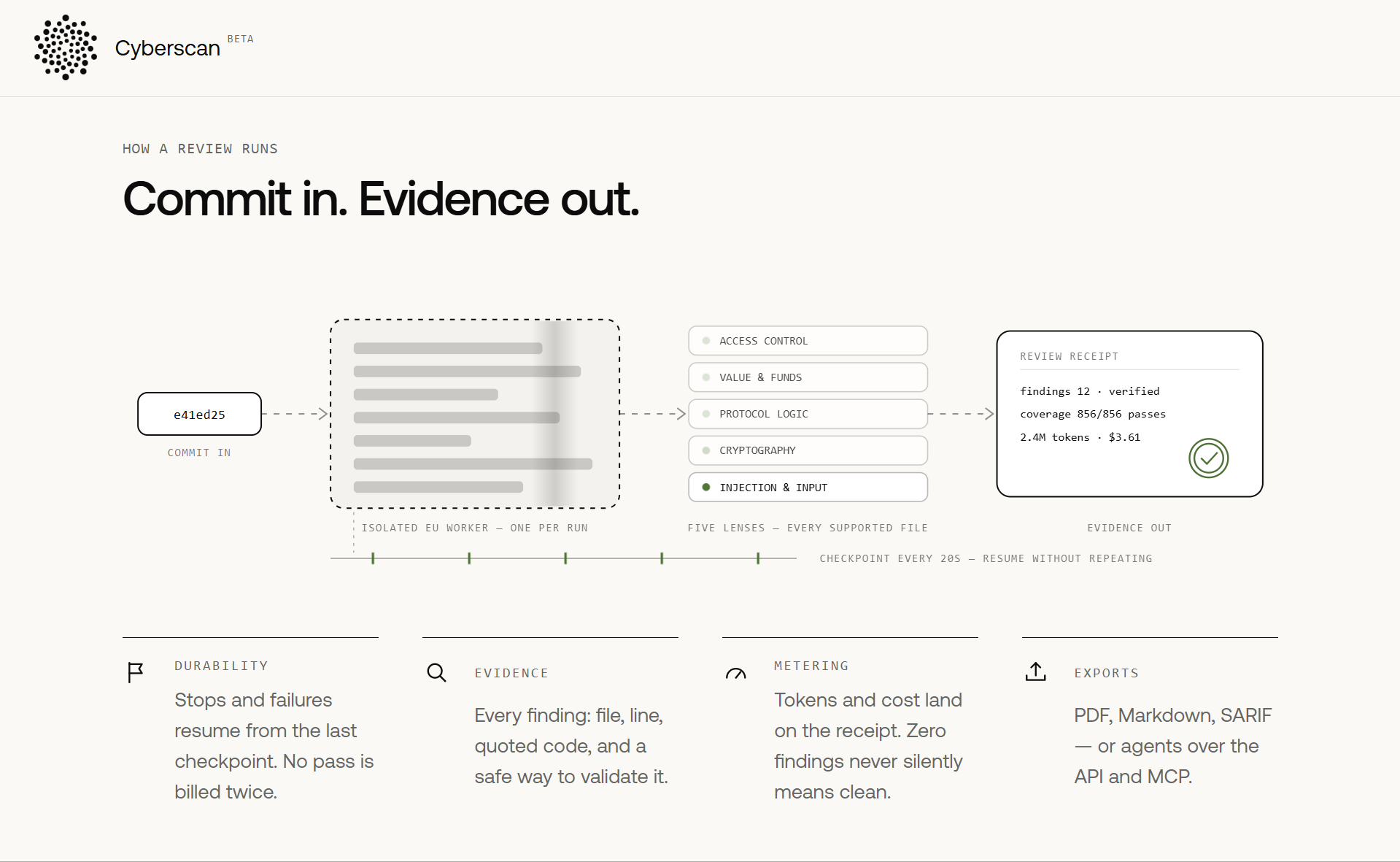
Every finding includes the file, line, relevant code, and evidence your team can verify. Reviews are checkpointed, so an interrupted scan resumes from where it stopped without repeating completed work.
Once the review is complete, you can see exactly how much of the code was checked, giving you context even when there are zero findings. Results can be exported as PDF, Markdown, or SARIF, or accessed through the API and MCP.
Prem Cyberscan's model choice
Prem Cyberscan is built around open-weight models, and you can choose which model runs a given scan rather than being locked into one option by default. You can choose from models such as DeepSeek, Qwen, and Kimi K3 for your scan, all of which rank among the best open source LLMs for cybersecurity work. Your requests are handled through Prem’s EU North Prem Router, which routes each scan to the model you select. This gives you more control over how your code is analyzed, which matters for a few practical reasons:
Reasoning quality
You can choose a model that is better at following multi-step logic and tracing complex attack paths through your code.
Code understanding
You can select a model based on how well it understands the programming languages and frameworks used in your repository.
Context capacity
A larger context window helps the model analyze more of your repository together instead of reviewing code in isolation.
Scan speed
You can choose a faster model when you need to review code quickly as your repository changes.
Cost
You can use lower-cost models for routine scans and reserve more capable models for deeper security reviews.
Infrastructure requirements
If you want to self-host, you can choose a model that fits your available infrastructure and deployment requirements.
Independent validation
You can run another model against the same code to get a second perspective and catch issues the first model may have missed.
Which region Prem Cyberscan runs in
Your run stays inside the EU, start to finish. The worker that scans your code and the model it talks to are both routed through Prem's EU infrastructure, so your code isn't quietly crossing borders you never approved.
How Prem Cyberscan isolates each run
Every scan gets its own worker, spun up just for that run and thrown away once it's done. You're never sharing infrastructure with anyone else's codebase, and nothing from one run carries over into the next.
What happens to your code after a scan
The temporary checkout is not part of your workspace record. CyberScan keeps run status, usage, findings, decisions and reports. Automatic expiry, self-service deletion and independent proof of worker cleanup are not available yet.
How Prem Cyberscan pricing works
Reviews are priced by token usage, with the cost and tokens consumed shown on your review receipt. New workspaces currently receive $25 in review credits, so you can test the review process before adding more usage.
Aikido Security: Unified AI-assisted application security
Aikido Security brings several application security tools into one platform. It covers SAST, dependency scanning, secrets detection, IaC, containers, and cloud security. For code security, it uses both traditional and AI-based analysis, with features such as reachability analysis, AI AutoTriage, and AutoFix.
You can add these security checks directly to your IDE, pull requests, and CI workflows. This makes Aikido a good fit if you want broader AppSec coverage across your code, dependencies, infrastructure, and cloud in one place.
Where Aikido Security runs and how it handles your code
If you need to keep code analysis within your own environment, Aikido offers local scanning. For scans that require repository access, it says your repository is cloned into a fresh container and deleted after the analysis. Some data can be retained for specific features. AutoFix may store original and fixed diffs for affected files, while call trees linked to AutoTriaged SAST findings may be retained for up to two weeks.
Aikido Security pricing
Aikido offers a free Developer plan for two users, while paid plans start at $300/month for 10 users. Enterprise pricing is available on request.
Codelight: AI code security with European data sovereignty
Codelight uses threat modelling to find security issues in your code and understand them in the context of your application. You can connect GitHub, GitLab, or Bitbucket repositories, scan pull requests, get suggested fixes, and set rules to warn developers or block risky code from being merged.
Codelight currently supports TypeScript, JavaScript, Rust, C, and C++. It runs its AI analysis on its own inference hardware rather than sending your source code to third-party AI providers.
Where Codelight runs and how it handles your code
Codelight states that your source code is not sent to third-party AI providers or used to train its models. The source code itself is not retained after the analysis is complete. Scan results, including findings, file paths, severities, and cited code excerpts, can be retained for later review. If you need analysis to stay within your own infrastructure, Codelight also offers an on-premises appliance with an air-gapped deployment option.
Codelight pricing
Codelight starts with a free Open Source tier for public repositories, with Scan plans ranging from €29 to €2,500 per month.
Striga: AI security auditing for deeper vulnerability analysis
Striga is an AI-based source-code auditing platform that reviews your application's architecture, dependencies, and potential attack points. It combines machine learning with static analysis to find vulnerabilities and assess how serious they may be.
For some findings, Striga can create proof-of-concept payloads to check whether a vulnerability can be exploited, with a human reviewer involved in the audit. You also get reports explaining the vulnerability, how it could be exploited, and how your team can fix it.
Where Striga runs and how it handles your code
With Striga's managed cloud option, your team operates the platform while Striga manages the infrastructure. A zero-data-retention option is available for organizations that do not want proprietary source code retained by the service.
Striga pricing
Striga gives you three options: one-off code audits starting at $999, a cloud subscription for ongoing use, or an on-premises deployment.
CybeDefend: AI code security for AI-assisted development
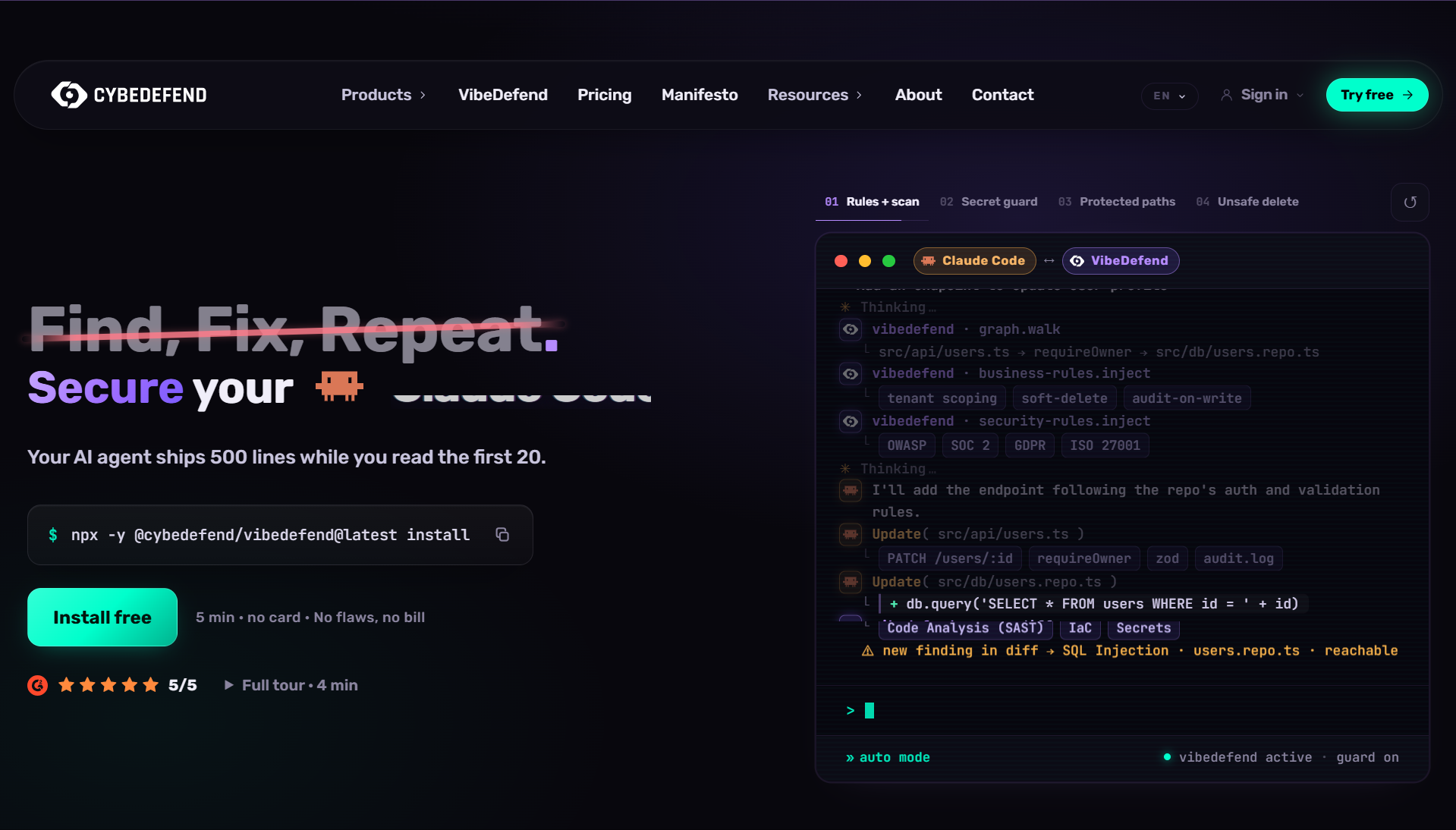
CybeDefend is built for teams using AI coding tools such as Claude Code, Cursor, Windsurf, GitHub Copilot, and OpenAI Codex. It scans your code, dependencies, secrets, infrastructure, and CI/CD pipelines for security issues.
Cybe AutoFix helps you fix identified issues, while VibeDefend can review code as AI agents write it. You can also bring these security checks into your IDE and development workflows as AI-generated code moves through your application.
Where CybeDefend runs and how it handles your code
If you need more control over where your code and security workloads run, CybeDefend's Enterprise plan includes private VPC and on-premises deployment options. This lets you run the platform in a dedicated environment rather than relying only on its hosted service.
CybeDefend pricing
CybeDefend’s pricing begins at $19/month for its Developer plan, with Team at $229/month and Scale at $641/month when billed annually. Larger organizations can opt for custom Enterprise pricing.
Prem Cyberscan: Best AI code security tool for your enterprise to secure code and detect critical vulnerabilities
Your codebase keeps changing after a formal security audit. New commits, dependencies, and application updates continue to move through development, giving your security team more code to review between assessments.
Prem Cyberscan adds an AI-assisted review layer to that process.You connect a repository like GitHub, the system maps the codebase, examines potential attack paths, and returns structured findings with severity levels and references to the relevant files.
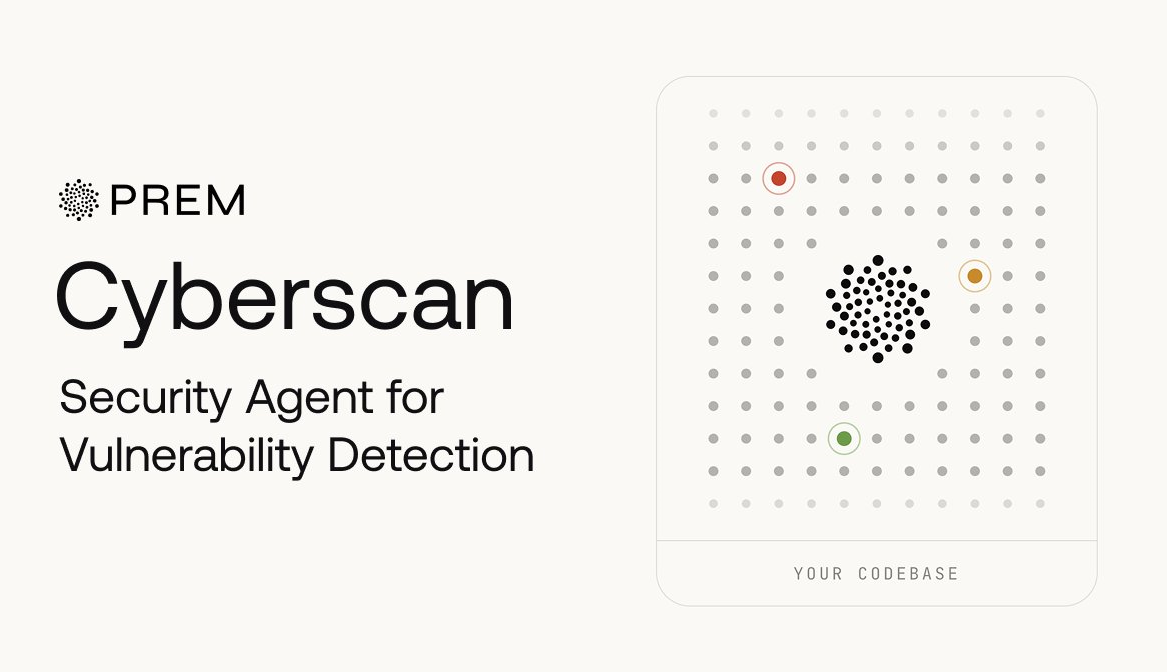
If your review gets interrupted, you can resume it without starting over. You can also send findings directly to GitHub code-scanning alerts and issues, so your developers can investigate them within the security workflows they already use. It works alongside your expert security reviews and formal audits, not as a replacement. It gives you an additional way to review changing code and identify potential vulnerabilities that may need further investigation.
Prem CyberScan is publicly available now, with $25 in free credits for new users to get started.
Sign in with your GitHub account, connect a repository, and let Prem CyberScan run. If you want to see how it performs on your own codebase, you can use the available credits to scan a real repository and review the findings for yourself.
Frequently asked questions about AI code security tools for enterprise teams
How do AI code security tools detect vulnerabilities?
These tools analyze your code, dependencies, repository structure, and, depending on the platform, the relationships between different parts of an application. They look for patterns and behaviors that could indicate a security weakness.
The exact approach varies by tool. Some focus primarily on source-code scanning, while others analyze repository context, attack paths, dependencies, secrets, or broader application security signals.
What vulnerabilities can AI code security tools find?
AI-assisted security tools can help identify issues such as insecure input handling, authentication and authorization weaknesses, injection risks, exposed secrets, unsafe API usage, and other potentially vulnerable coding patterns.
Coverage varies considerably between tools, languages, and applications. Vulnerabilities that depend heavily on business logic or runtime context can be more difficult for automated systems to identify reliably.
Can AI code security tools replace security audits?
No. AI code security tools can provide an additional review layer, especially as your codebase changes between formal assessments, but they should not be treated as a replacement for expert security review.
Security audits, penetration testing, threat modeling, and manual validation remain important because experienced security professionals can evaluate business logic and application context that automated tools may not fully understand.
How do you choose the best AI code security tool for your enterprise?
Start with your actual security workflow rather than choosing based only on the number of vulnerabilities a platform claims to detect. Consider repository support, programming languages, integrations, deployment options, security controls, reporting, and how findings reach your developers.
You should also evaluate the quality of findings. A tool that provides clear evidence, useful context, and sensible prioritization may be more valuable to your team than one that simply generates a large number of alerts.
How accurate are AI code security tools?
Accuracy depends on the tool, model, codebase, vulnerability type, and context available during analysis. AI-assisted tools can surface meaningful security issues, but they can also produce false positives or miss vulnerabilities.
Your developers or security team should therefore validate important findings before remediation. In enterprise environments, AI-generated security findings are most useful as evidence for investigation rather than unquestioned conclusions.
How do AI code security tools fit into your existing AppSec workflow?
You can use AI code security alongside practices such as code review, SAST, SCA, secret scanning, penetration testing, and formal security assessments. The goal is to add another layer of analysis without forcing your team to rebuild its entire security process.
Integrations with repositories, CI/CD pipelines, code-scanning systems, and issue trackers can also help move findings into the workflows your developers already use.
Can AI code security tools help secure large enterprise codebases?
They can be particularly useful when your organization has large repositories and frequent code changes that are difficult to review manually after every update. Automated analysis can help your security team continuously examine more of the codebase.
However, scalability is not only about repository size. You should also consider scan performance, supported languages, access controls, deployment architecture, data handling, and whether findings remain manageable as usage grows.
What should enterprises consider about code privacy when using AI security tools?
You should understand what code leaves your environment, where it is processed, how long it is retained, and whether it is used for model training. These questions become especially important when repositories contain proprietary code or sensitive business logic.
Review each provider's deployment options, data-processing policies, access controls, retention practices, and compliance documentation before connecting production repositories.
Should you use AI code security for continuous security review?
Continuous review can help you examine security risks as your codebase changes instead of waiting until the next formal audit. This can be useful when your development teams ship frequently and new code, dependencies, and configurations are continuously introduced.
It still should not become your only security control. A stronger approach combines ongoing automated analysis with developer review, security validation, penetration testing, and periodic expert assessments.